Any web page into a clean AI prompt, in one click.
Page2Prompt strips out the menus, ads and cookie banners, wraps the content in a ready-made prompt, and opens your AI with it already pasted.
See 16 real examples of what it can do →
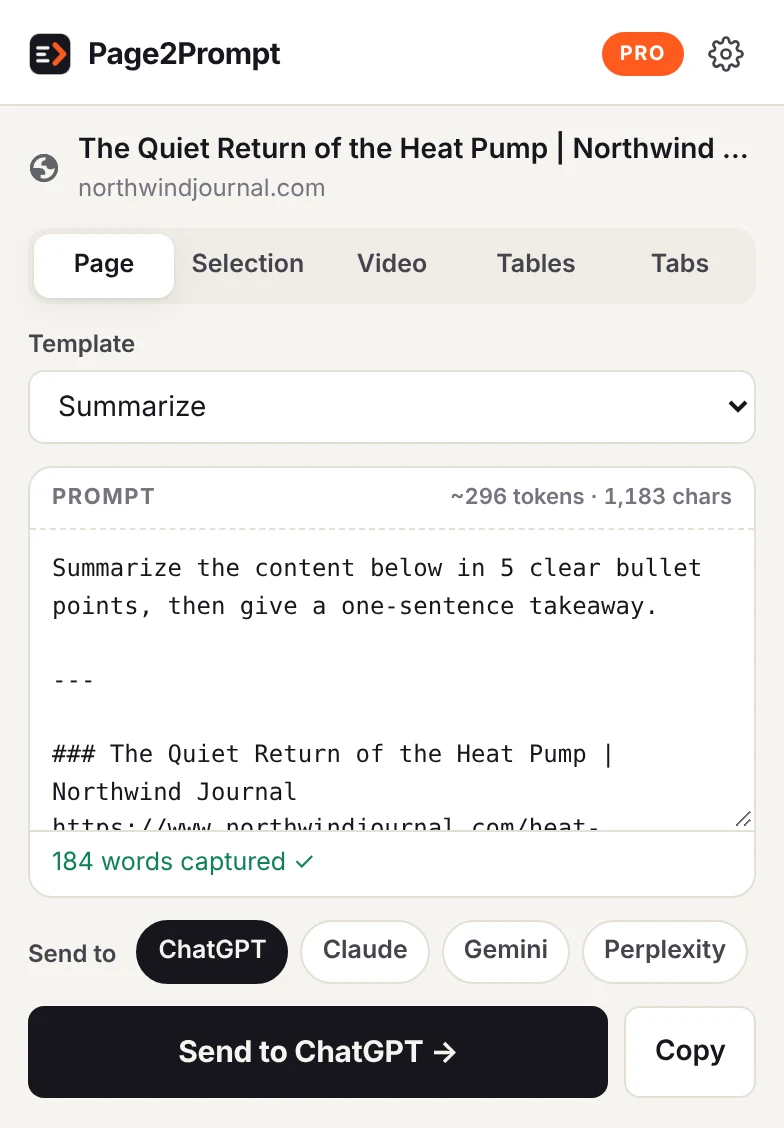
Copy-pasting the web into AI is messy.
Paste a page and you also paste its navigation, cookie notice, ads and footer. It wastes tokens and muddles the answer. Page2Prompt sends only what matters.
Copy & paste What your AI gets today
Page2Prompt What it gets with one click
Three clicks. Zero tidying up.
Open any page
An article, documentation, a long email thread, a product page or a YouTube video.
Click the icon
Or press Alt+Shift+P. Pick a template like Summarize or Explain simply, and edit the prompt if you like.
Hit Send
ChatGPT, Claude, Gemini or Perplexity opens with your prompt already pasted. Review it and press Enter.
Built for people who use AI every day.
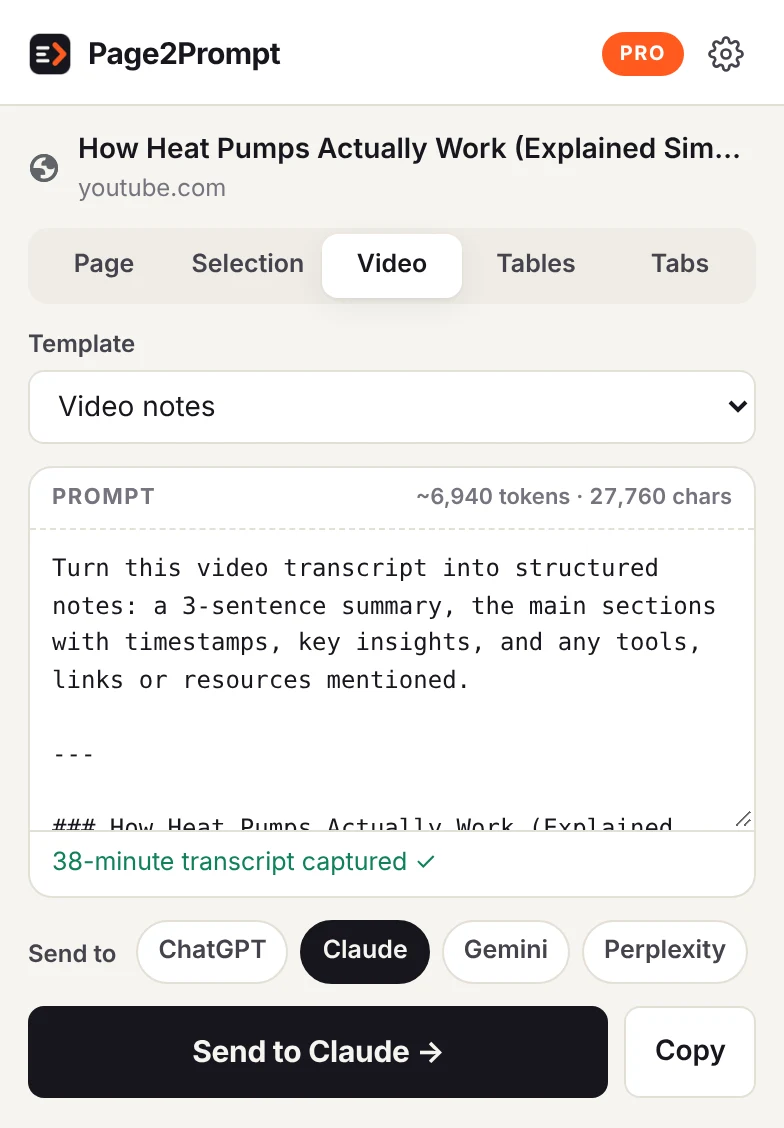
Turn any YouTube video into notes
Page2Prompt grabs the full transcript with timestamps. The Video notes template turns a 40-minute video into a summary, sections and key insights.
- Timestamps kept for every section
- Works on videos with captions
- Send to Claude for long transcripts
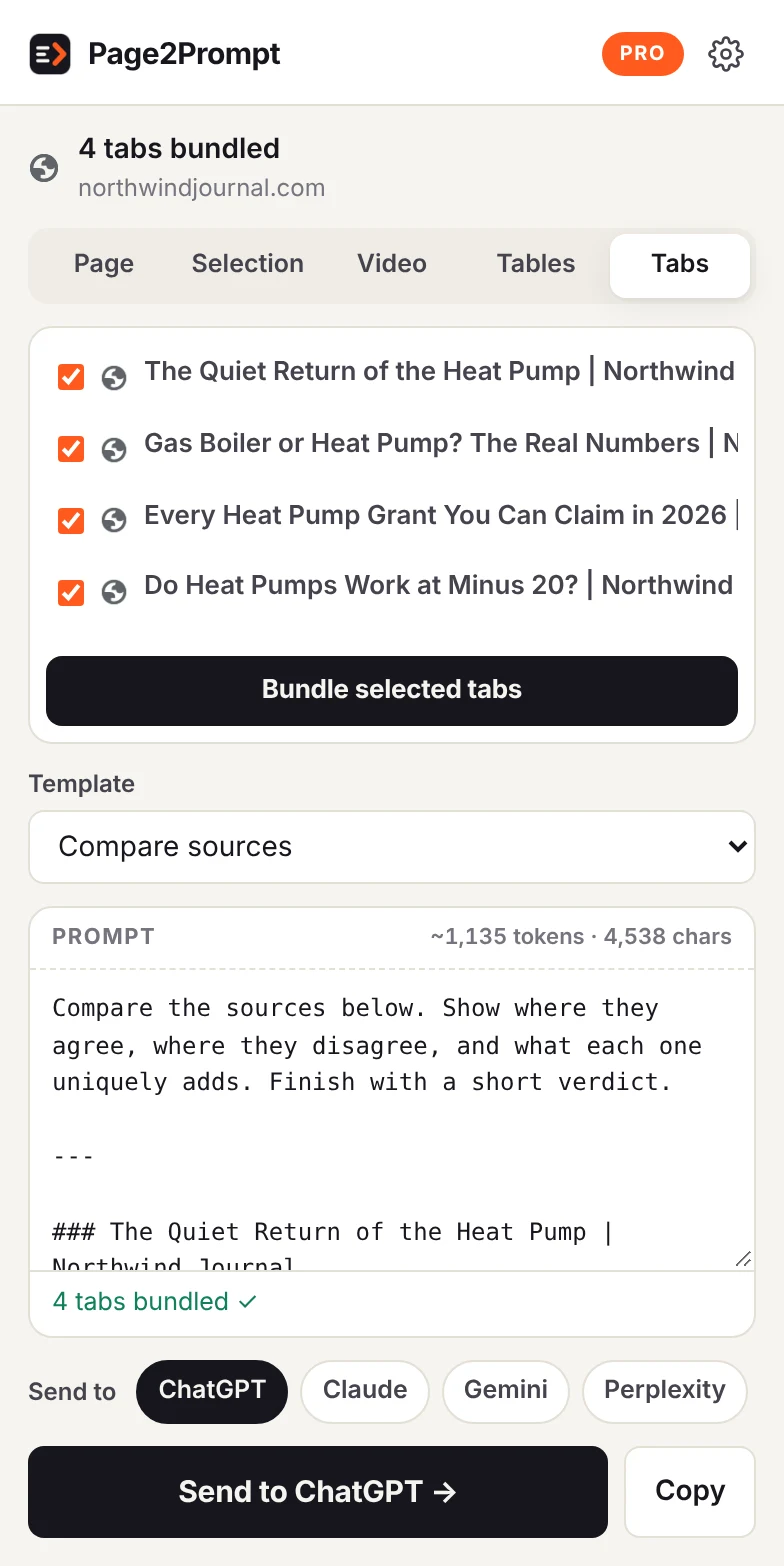
Research across 10 tabs at once
Bundle the tabs you have open into one prompt, each labelled with its title and link, then ask where the sources agree and disagree.
- Pick tabs with a click
- Built-in "Compare sources" template
- Perfect for buying decisions and literature reviews
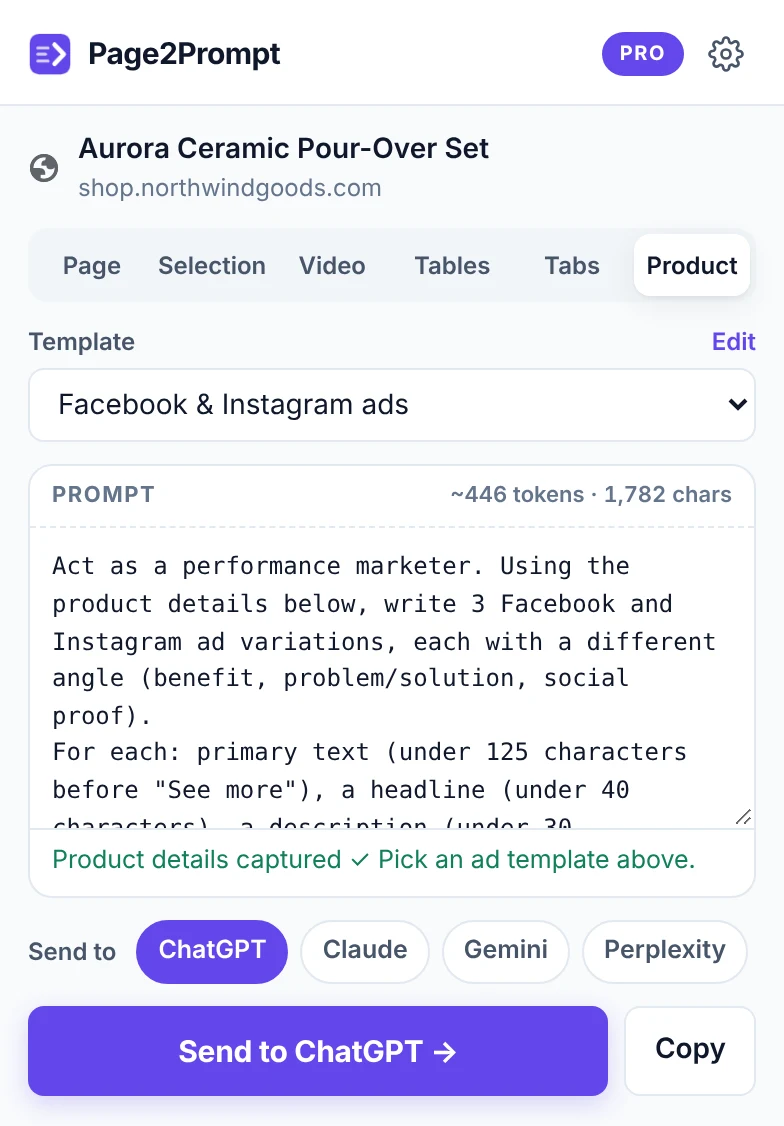
Write ads from any product page
Open a product in any online shop and Product mode reads the name, price, features, specs and reviews for you. Pick an ad template and your AI writes the copy.
- Facebook & Instagram, Google Search and TikTok ad copy
- SEO product descriptions and marketplace listings
- Works on Shopify, WooCommerce, Amazon and most shops
Clean Markdown
Headings, lists, links, code blocks and tables are kept. Everything else is stripped.
Just the selection
Highlight a paragraph and only that part is sent. Great for emails and long threads.
Tables to Markdown PRO
Every data table on a page, ready for the AI to analyse, compare or chart.
Edit any template PRO
Make the built-in templates your own, or save unlimited new ones for the prompts you use every day.
Prompt history PRO
Find, copy or resend any of your last 50 prompts, stored only on your computer.
Content writing pack
Blog posts and rewrites free; SEO articles, social posts, newsletters and FAQ schema with Pro.
Step-by-step guides people use most
Each guide shows the steps, the exact prompt and an example of the result.
A long tutorial on running Facebook ads, and no time to watch it.
Read the guide →ProductProWrite Facebook & Instagram ads from a product pageA WooCommerce store owner needs ads for a new ceramic coffee set.
Read the guide →ProductProGoogle Search ads with the right character limitsLaunching a search campaign for one product.
Read the guide →ProductProProduct descriptions and marketplace listingsFifty products need better descriptions before a sale.
Read the guide →PageFreeSummarize a long article in secondsA 3,000-word article on heat pumps vs gas boilers, and five minutes before a meeting.
Read the guide →PageProOne article becomes a week of social postsYou published a blog post and need to promote it everywhere.
Read the guide →Your content never touches our servers.
Pages are read only when you click. The text goes straight from your browser to the AI you choose. Pro is bought on windcodex.com and unlocked with a license key, so the extension never sees your payment details.
Free for everyday use. Pro for power users.
Install free. Upgrade on windcodex.com and paste your license key into the extension. Cancel anytime.
Free
Everything you need to start.
- Capture any page or selection
- Send to ChatGPT, Claude, Gemini, Perplexity
- 5 templates, incl. Blog post & Rewrite
- Shortcuts and right-click menu
Pro
For people who live in AI.
- Everything in Free
- YouTube transcripts
- Product mode: ad & listing copy
- Tables and 10-tab bundles
- All 22 templates, edit any of them
- Prompt history
14-day money-back guarantee. Prices in USD. After checkout your license key arrives by email and in My Account → License Keys. Paste it into the extension to unlock Pro.
Questions, answered.
Is Page2Prompt really free?
Yes. Capturing pages and selections, sending to all four AI assistants, five templates (including Blog post and Rewrite), shortcuts and the right-click menu are free forever, with no account. Pro adds video transcripts, Product mode for ad copy, tables, multi-tab bundles, all 22 templates with editing, and history.
Which AI assistants does it work with?
ChatGPT, Claude, Gemini and Perplexity. You can also copy the prompt and paste it anywhere else.
Do I need a paid ChatGPT or Claude plan?
No. Page2Prompt pastes into whatever account you already use, free or paid. Very long pages or transcripts may need a model with a larger context window.
Why not just paste the link into ChatGPT?
AI browsing often can't open paywalled, logged-in or dynamic pages, and it can't see what you've highlighted. Page2Prompt sends exactly what's on your screen.
Can it write ads for my products?
Yes, with Pro. Open any product page, choose Product, and Page2Prompt reads the price, features, specs and reviews. Then pick a template: Facebook & Instagram ads, Google Search ads, a TikTok script, an SEO description, a marketplace listing, a promo email or ad angles.
Is my data private?
Page content is processed in your browser and goes directly to the AI you choose; it never passes through our servers. The extension only sends your license key and a random install ID to windcodex.com to check your license. Read the privacy policy.
How many browsers can I use my key on?
A Pro key works on up to 3 browsers or computers. To move it, open Settings in the extension on the old browser and click "Remove from this browser", or click Remove next to that device in My Account → License Keys on windcodex.com.
What if Pro isn't right for me?
Every purchase has a 14-day money-back guarantee. Email [email protected] within 14 days of your first payment for a full refund. See the refund policy.
Does it work in Edge, Brave or Arc?
Yes. Any Chromium browser can install it from the Chrome Web Store. Firefox and Safari aren't supported yet.
How do I cancel Pro?
Log in at windcodex.com and open My Account → Subscriptions. You can cancel or switch between monthly and yearly there, and Pro stays active until the end of the period you paid for.