Google Search ads with the right character limits
Google Search ads are short on purpose, and counting characters by hand is slow. Page2Prompt's Google Search ads template sends the product details with Google's limits built in, so you get 15 headlines, 4 descriptions and keyword ideas ready to test.
The situation
Launching a search campaign for one product.
How to do it with Page2Prompt
- Click Product on the product page
- Pick Google Search ads
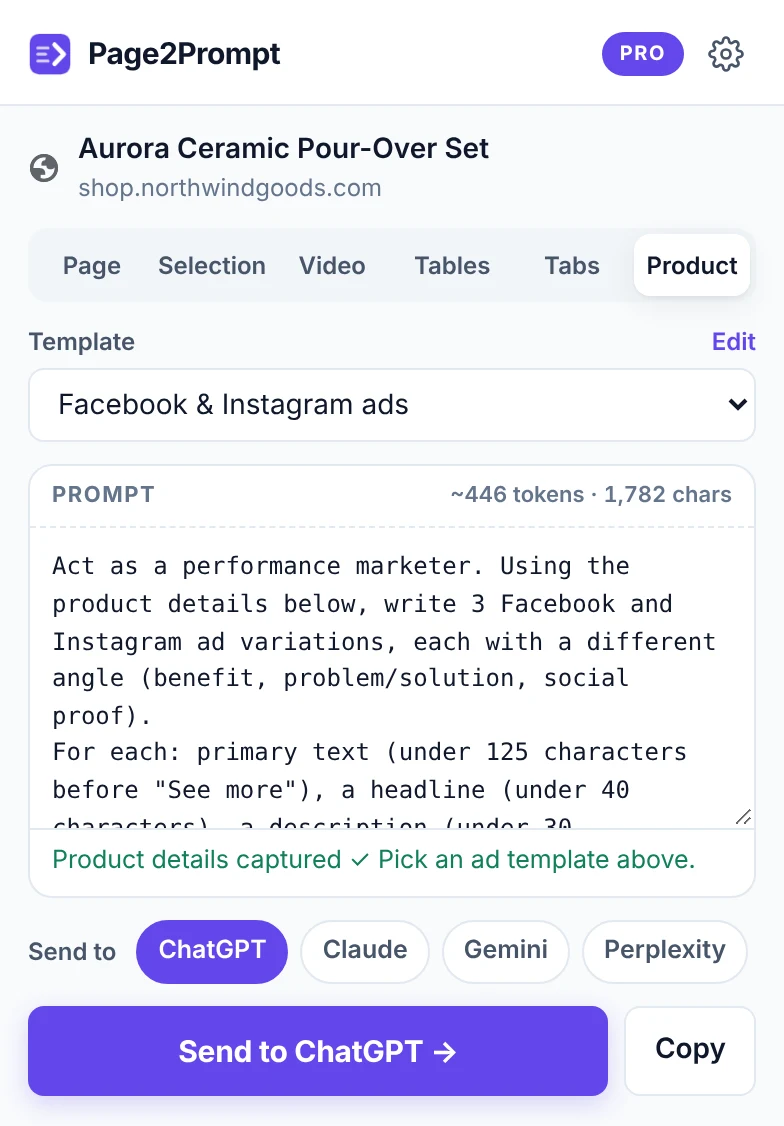
What you get
You get: 15 headlines of up to 30 characters, 4 descriptions of up to 90, character counts, and exact, phrase and broad keywords plus negatives.
Headlines (max 30 characters)
- Aurora Pour-Over Coffee Set
- Café Coffee at Home
- Brew Better Coffee in 4 Min
- Rated 4.8 by 1,200 Buyers
…15 in total
Descriptions (max 90 characters)
- Hand-poured coffee with full flavour. Ceramic dripper, carafe and filters included.
…4 in total
Keywords: pour over coffee set, ceramic coffee dripper, manual coffee maker
Negative keywords: cheap, used, repair
Example for illustration. Your AI's answer depends on the page and the AI you use.
The prompt Page2Prompt sends
This is the exact template text. Page2Prompt adds the page title, link and clean content where it says so. Pro users can edit it to match their style.
Google Search ads (Pro)
Act as a Google Ads specialist. Using the product details below, write a responsive search ad: 15 headlines (each 30 characters or fewer) and 4 descriptions (each 90 characters or fewer). Show the character count after each line. Then list 15 keywords grouped as exact, phrase and broad match, plus 10 negative keywords. Only use claims supported by the details.

---

[the page content Page2Prompt captured goes here]
How to do it without the extension
- Copy the product details from the page.
- Paste them into ChatGPT with the prompt above, which includes Google's limits.
- Paste the lines into Google Ads and fix any it flags as too long.
It works, but it takes several copy-and-paste steps every time. Use the prompt above. Page2Prompt does the capture, the clean-up and the pasting in one click.
Why use Page2Prompt for this
- Name, brand, price, features, specs and rating are read from the shop page for you, so the copy is built on real product facts.
- The prompt is written and tested for this exact job, so you get a consistent result every time instead of retyping instructions.
- It works with ChatGPT, Claude, Gemini and Perplexity, using the free or paid account you already have.
- Your content goes straight from your browser to the AI you pick and never through WindCodex servers.
Tips
- Ask the AI to mark the character count next to each line if you want to double-check.
- Add your brand name or offer in the prompt before sending.
- Google Ads has the final word on limits and policies.
Questions
Does it guarantee the character limits?
The prompt asks for them, and AI models are usually close. Always check in Google Ads before publishing.
Does it suggest keywords?
Yes: keywords and negative keywords are part of the output.
Does it work with Claude and Gemini?
Yes. Page2Prompt sends to ChatGPT, Claude, Gemini and Perplexity. Pick the AI in the popup; the prompt is the same.
Does my content go through WindCodex?
No. Page2Prompt reads the page in your browser and sends it straight to the AI site you choose. It never passes through our servers.
For Marketers & sellers
Marketers and store owners use it to turn real product and page details into copy for every channel.
Related use cases
Try it on the page you're reading.
Free to install, no account needed. This one is part of Pro.