Make a buying decision from 4 reviews
Four review sites, four different verdicts. Instead of reading them side by side, bundle the tabs into one prompt. Page2Prompt labels each source with its title and link and asks the AI where they agree, where they disagree and what each one adds.
The situation
Choosing a laptop with four review sites open.
How to do it with Page2Prompt
- Click Tabs and tick the four reviews
- Pick Compare sources
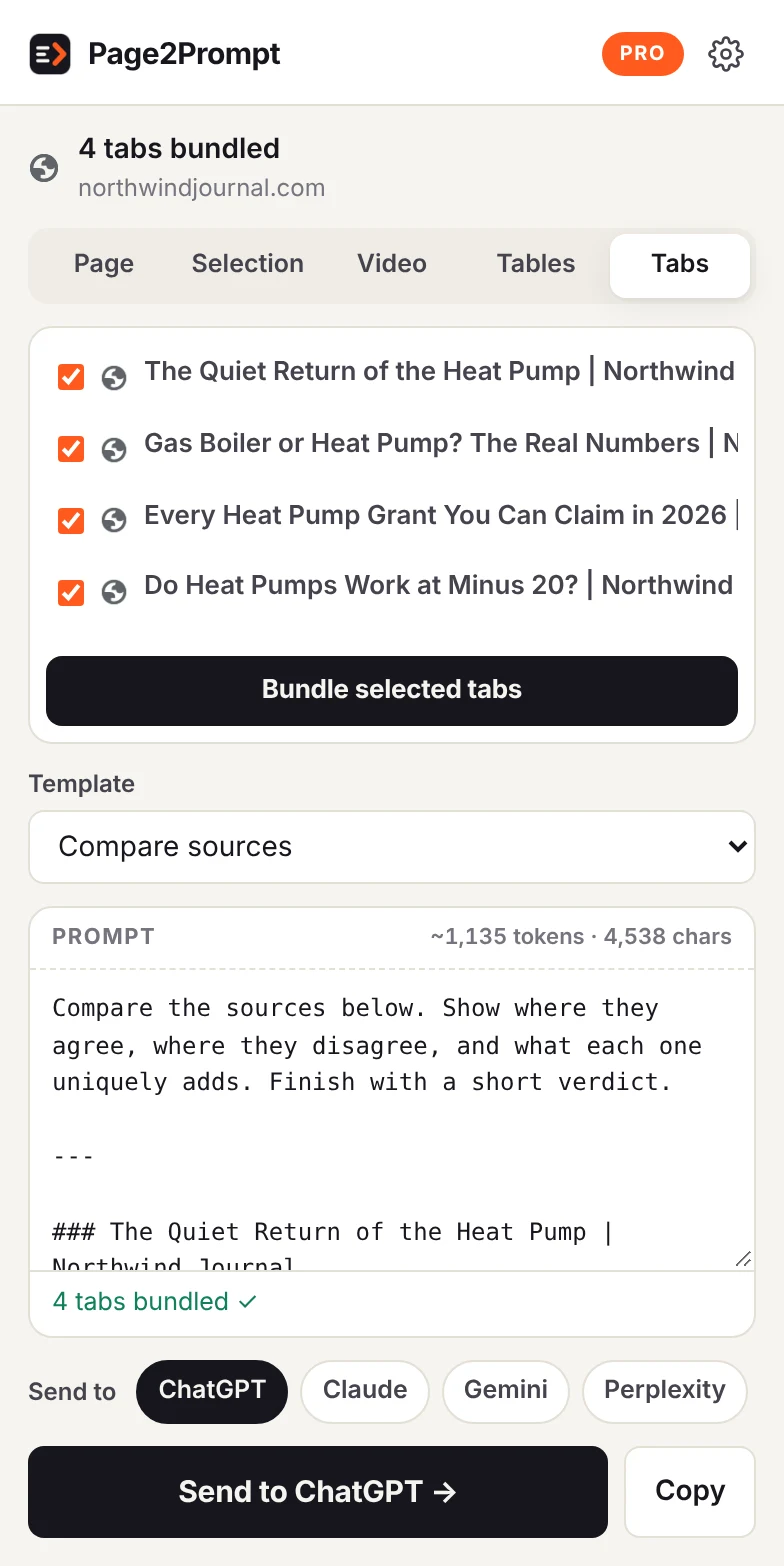
What you get
You get: Where the reviews agree, where they disagree, what each one adds, and a short verdict. One prompt instead of four long reads.
Where they agree: all four reviews praise battery life (9–11 hours) and the keyboard.
Where they disagree: two call the screen "excellent"; one says it's too dim outdoors.
What each adds: Source 3 is the only one that tested heat under load (it gets warm).
Verdict: a strong choice for office work; if you work outside, read Source 2's screen test first.
Example for illustration. Your AI's answer depends on the page and the AI you use.
The prompt Page2Prompt sends
This is the exact template text. Page2Prompt adds the page title, link and clean content where it says so. Pro users can edit it to match their style.
Compare sources (Pro)
Compare the sources below. Show where they agree, where they disagree, and what each one uniquely adds. Finish with a short verdict.

---

[the page content Page2Prompt captured goes here]
How to do it without the extension
- Copy each review into ChatGPT one by one, adding the site name and link above each.
- Label them Source 1, 2, 3… so the AI can tell them apart.
- Then paste the comparison prompt above.
It works, but it takes several copy-and-paste steps every time. Use the prompt above. Page2Prompt does the capture, the clean-up and the pasting in one click.
Why use Page2Prompt for this
- Each tab is labelled with its title and link, so the AI can say which source said what.
- The prompt is written and tested for this exact job, so you get a consistent result every time instead of retyping instructions.
- It works with ChatGPT, Claude, Gemini and Perplexity, using the free or paid account you already have.
- Your content goes straight from your browser to the AI you pick and never through WindCodex servers.
Tips
- Pick up to 10 tabs with checkboxes; Chrome asks once for permission to read them.
- Works for research too: compare papers, news coverage or competitor pages.
- Ask for a final verdict for your budget in the chat afterwards.
Questions
Is Tabs mode free?
Tabs mode is part of Pro.
Why does Chrome ask for permission?
Reading several tabs needs access to those sites. Page2Prompt asks only when you use Tabs mode and reads only the tabs you tick.
Does it work with Claude and Gemini?
Yes. Page2Prompt sends to ChatGPT, Claude, Gemini and Perplexity. Pick the AI in the popup; the prompt is the same.
Does my content go through WindCodex?
No. Page2Prompt reads the page in your browser and sends it straight to the AI site you choose. It never passes through our servers.
For Students & researchers · Busy professionals
Students and researchers use it to understand long or difficult material faster, in their own language. Busy professionals use it to handle emails, documents and decisions in a fraction of the time.
Related use cases
Try it on the page you're reading.
Free to install, no account needed. This one is part of Pro.