Understand a hard topic
Some pages assume you already know the subject. Instead of searching every term separately, send the page to your AI with an instruction to explain it like you're a smart beginner: jargon defined, one concrete example, no fluff.
The situation
A student opens a dense page about quantum tunnelling.
How to do it with Page2Prompt
- Click the icon
- Pick Explain simply
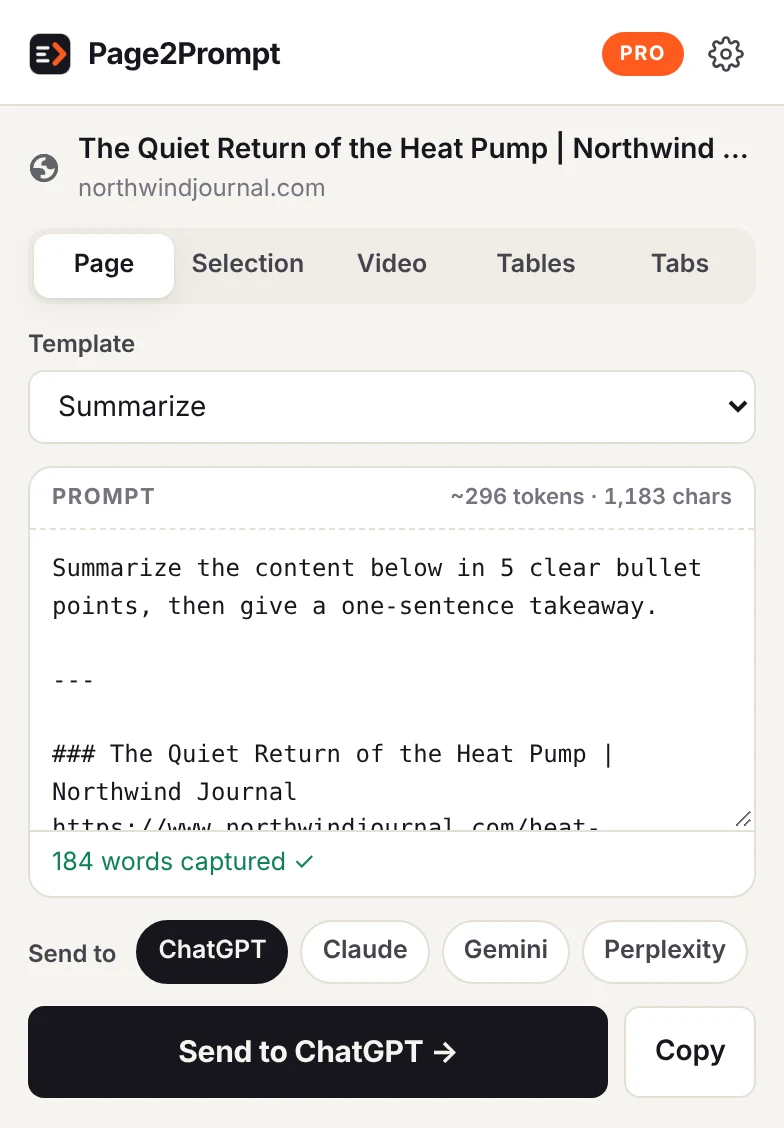
What you get
You get: A plain-language explanation for a smart beginner, with jargon defined and one everyday example.
In plain words: quantum tunnelling is when a tiny particle, like an electron, gets through a wall it shouldn't have enough energy to cross.
Key terms
- Energy barrier: the "wall". In everyday life, a ball without enough speed can't roll over a hill.
- Wave function: at tiny scales, a particle behaves partly like a spread-out wave, so a little of it reaches the other side.
Example: your phone's flash memory stores data by letting electrons tunnel through a thin insulating layer. Without tunnelling, USB sticks wouldn't work.
Example for illustration. Your AI's answer depends on the page and the AI you use.
The prompt Page2Prompt sends
This is the exact template text. Page2Prompt adds the page title, link and clean content where it says so. Pro users can edit it to match their style.
Explain simply (Free)
Explain the content below in plain language, as if to a smart beginner. Define any jargon and use one concrete example.

---

[the page content Page2Prompt captured goes here]
How to do it without the extension
- Copy the article or the confusing section.
- Paste it into ChatGPT with the instruction above.
- Ask follow-up questions about any term that's still unclear.
It works, but it takes several copy-and-paste steps every time. Use the prompt above. Page2Prompt does the capture, the clean-up and the pasting in one click.
Why use Page2Prompt for this
- It captures only the main content: no menus, ads, cookie banners or comments, so the AI focuses on what matters and you use fewer tokens.
- The prompt is written and tested for this exact job, so you get a consistent result every time instead of retyping instructions.
- It works with ChatGPT, Claude, Gemini and Perplexity, using the free or paid account you already have.
- Your content goes straight from your browser to the AI you pick and never through WindCodex servers.
Tips
- Great for research papers, legal pages, finance articles and developer docs.
- Highlight one confusing paragraph and use Selection mode for a focused answer.
- Set Reply in to your language to learn a topic in Hindi or another language.
Questions
Is Explain simply free?
Yes. Explain simply is one of the free templates.
Can it explain a YouTube lecture?
With Pro, Video mode captures the transcript, and you can use Explain simply or Video notes on it.
Does it work with Claude and Gemini?
Yes. Page2Prompt sends to ChatGPT, Claude, Gemini and Perplexity. Pick the AI in the popup; the prompt is the same.
Does my content go through WindCodex?
No. Page2Prompt reads the page in your browser and sends it straight to the AI site you choose. It never passes through our servers.
For Students & researchers
Students and researchers use it to understand long or difficult material faster, in their own language.
Related use cases
Try it on the page you're reading.
Free to install, no account needed. This one is free.