Send a page without opening anything
When you already know what you want, even opening a popup is one step too many. Page2Prompt's shortcut and right-click menu capture the page and open your AI with the prompt pasted, using your default template and AI.
The situation
You read several articles a day and always want the same summary.
How to do it with Page2Prompt
- Press Alt+Shift+S, or right-click and choose Send this page to AI
What you get
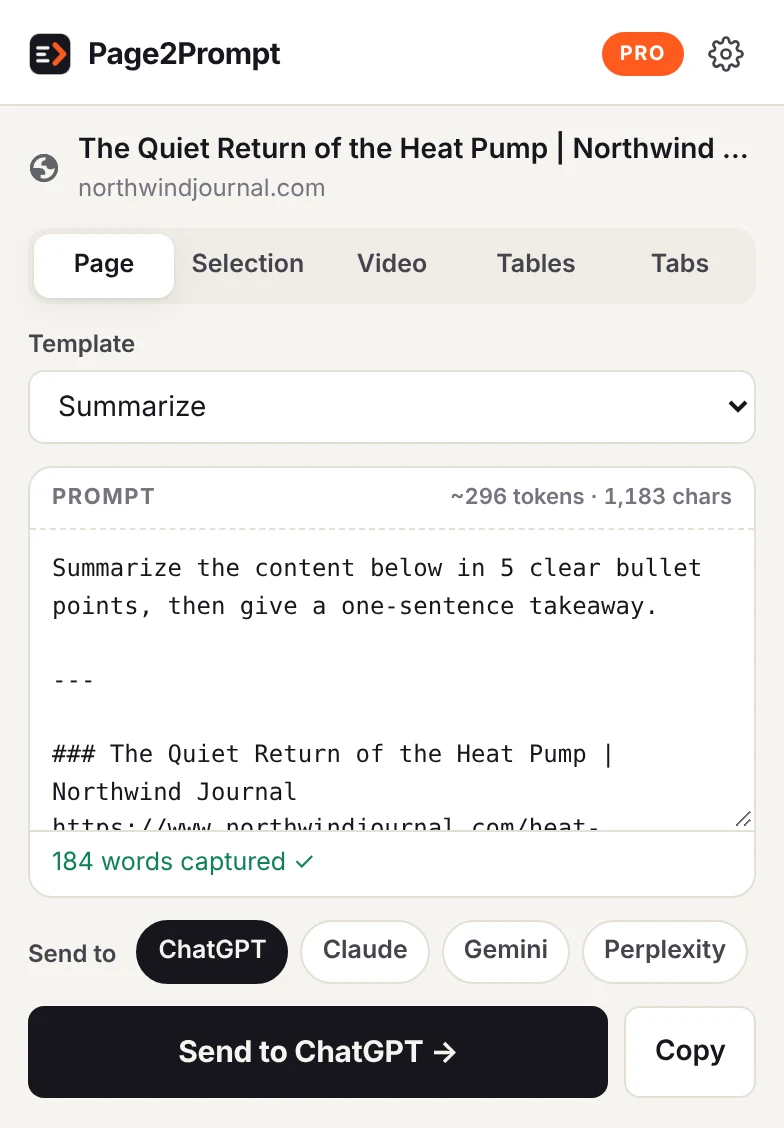
You get: The page goes straight to your default AI with your default template. Zero clicks in the popup.
Press Alt+Shift+S on any article. A new ChatGPT tab opens with:
"Summarize the content below in 5 clear bullet points, then give a one-sentence takeaway."
followed by the clean article, its title and its link. Review it and press Enter.
Example for illustration. Your AI's answer depends on the page and the AI you use.
How to do it without the extension
- Select the page text, copy it, open a new ChatGPT tab, type your instructions and paste.
- Bookmarklets can copy the page text, but they can't remove ads and menus or paste into the chat for you.
It works, but it takes several copy-and-paste steps every time. Page2Prompt does the capture, the clean-up and the pasting in one click.
Why use Page2Prompt for this
- One key press does the whole job: capture, clean-up, prompt and paste, using your default AI and template.
- The prompt is written and tested for this exact job, so you get a consistent result every time instead of retyping instructions.
- It works with ChatGPT, Claude, Gemini and Perplexity, using the free or paid account you already have.
- Your content goes straight from your browser to the AI you pick and never through WindCodex servers.
Tips
- Change the shortcut in chrome://extensions/shortcuts.
- Set your default AI and template in Settings → Preferences.
- Right-click highlighted text to send only the selection.
Questions
What is the default shortcut?
Alt+Shift+S sends the page (or selection) to your default AI. Alt+Shift+P opens the popup.
Does the right-click menu work on every site?
It works on normal web pages. Chrome doesn't let extensions read its own pages, the Web Store or the built-in PDF viewer.
Does it work with Claude and Gemini?
Yes. Page2Prompt sends to ChatGPT, Claude, Gemini and Perplexity. Pick the AI in the popup; the prompt is the same.
Does my content go through WindCodex?
No. Page2Prompt reads the page in your browser and sends it straight to the AI site you choose. It never passes through our servers.
For Busy professionals · Writers & SEO · Students & researchers
Busy professionals use it to handle emails, documents and decisions in a fraction of the time. Writers and SEO teams use it to go from research to a first draft without the copy-and-paste routine. Students and researchers use it to understand long or difficult material faster, in their own language.
Related use cases
Try it on the page you're reading.
Free to install, no account needed. This one is free.