Turn a 40-minute YouTube video into notes
A 40-minute video can hold five minutes of what you need. Page2Prompt's Video mode grabs the full transcript with timestamps and sends it with a notes prompt, so you get a summary, the main sections and every tool or link mentioned, without scrubbing through the video.
The situation
A long tutorial on running Facebook ads, and no time to watch it.
How to do it with Page2Prompt
- Open the video
- Click Video, pick Video notes
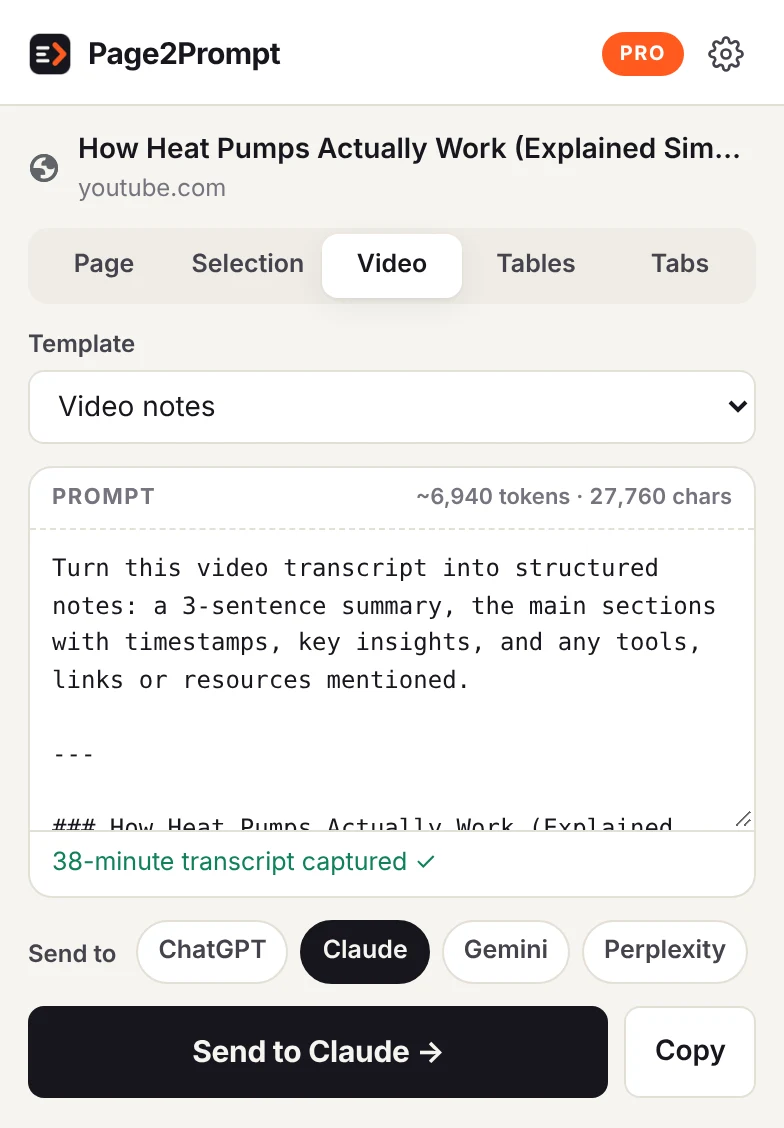
What you get
You get: A summary, sections with timestamps like [12:30] Audience setup, key tips and every tool mentioned. Jump to just the part you need.
Summary: The tutorial shows how to set up a Facebook ads campaign from scratch: choosing the objective, building audiences, writing the ad and reading results after the first week.
Sections
- [00:00] Who this tutorial is for
- [03:40] Choosing the right campaign objective
- [12:30] Audience setup: interests vs lookalikes
- [21:15] Writing the ad: hook, image, call to action
- [33:05] Reading results and what to change after 7 days
Key insights: start with one campaign and a small budget; change one thing at a time.
Tools mentioned: Meta Ads Manager, Meta Pixel, Canva.
Example for illustration. Your AI's answer depends on the page and the AI you use.
The prompt Page2Prompt sends
This is the exact template text. Page2Prompt adds the page title, link and clean content where it says so. Pro users can edit it to match their style.
Video notes (Pro)
Turn this video transcript into structured notes: a 3-sentence summary, the main sections with timestamps, key insights, and any tools, links or resources mentioned.

---

[the page content Page2Prompt captured goes here]
How to do it without the extension
- On YouTube, click "...more" under the video, then "Show transcript".
- Select the whole transcript and copy it (long videos can take a while to scroll).
- Paste it into ChatGPT with the prompt above. Timestamps stay only if you copied them.
It works, but it takes several copy-and-paste steps every time. Use the prompt above. Page2Prompt does the capture, the clean-up and the pasting in one click.
Why use Page2Prompt for this
- It reads the full transcript with [mm:ss] timestamps, including auto-generated captions, so the notes point to the exact moment in the video.
- The prompt is written and tested for this exact job, so you get a consistent result every time instead of retyping instructions.
- It works with ChatGPT, Claude, Gemini and Perplexity, using the free or paid account you already have.
- Your content goes straight from your browser to the AI you pick and never through WindCodex servers.
Tips
- Works on videos with captions, including auto-generated captions in Hindi and many other languages.
- Timestamps let you jump straight to the part you care about.
- Making content? Try the YouTube / Shorts script template on the same transcript.
Questions
Is Video mode free?
Video transcripts are part of Pro.
What if a video has no captions?
Page2Prompt needs captions to read the transcript. Most videos have auto-generated captions; a few creators turn them off.
Does it work with Claude and Gemini?
Yes. Page2Prompt sends to ChatGPT, Claude, Gemini and Perplexity. Pick the AI in the popup; the prompt is the same.
Does my content go through WindCodex?
No. Page2Prompt reads the page in your browser and sends it straight to the AI site you choose. It never passes through our servers.
For Students & researchers · Creators · Marketers & sellers
Students and researchers use it to understand long or difficult material faster, in their own language. Creators use it to turn videos and articles into scripts, posts and visuals. Marketers and store owners use it to turn real product and page details into copy for every channel.
Related use cases
Try it on the page you're reading.
Free to install, no account needed. This one is part of Pro.