Write an original blog post from research
Research is easy to find; turning it into your own post is the hard part. Page2Prompt's Blog post template sends the page as research with clear rules: original wording, accurate facts, 4 to 6 sections and a practical conclusion.
The situation
A great industry article inspires your next post.
How to do it with Page2Prompt
- Click the icon on the article
- Pick Blog post from this page (free)
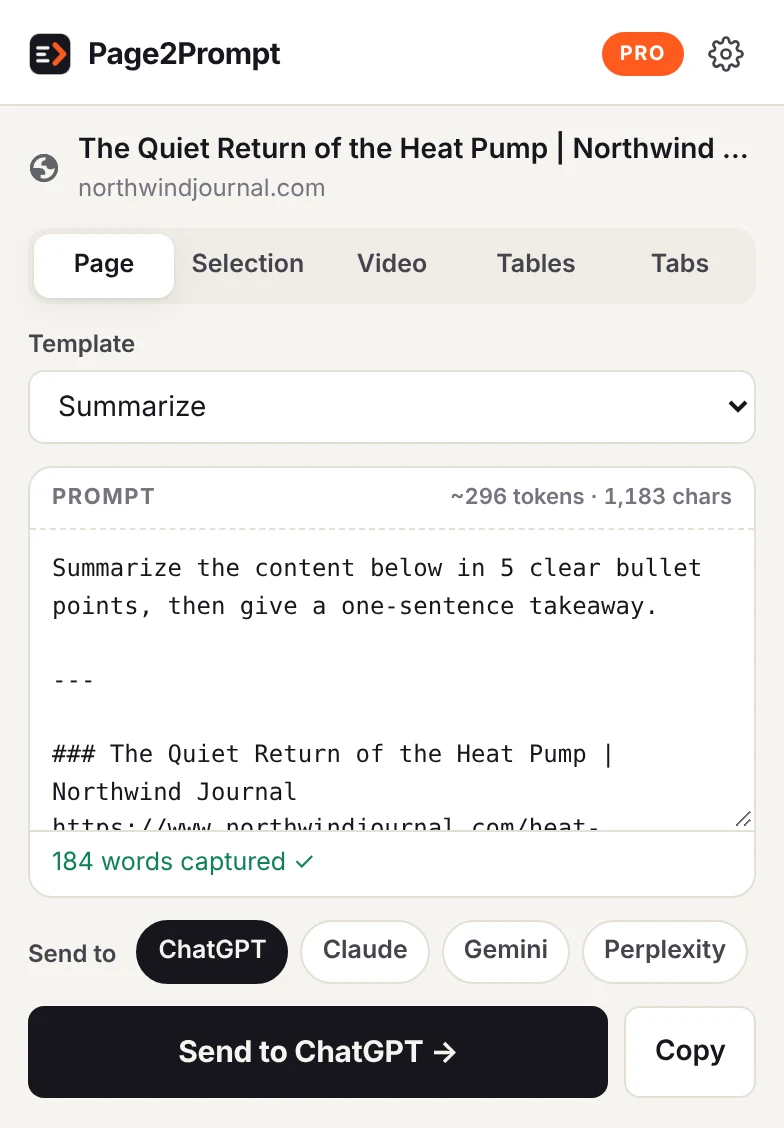
What you get
You get: An original post on the same topic, in fresh words, with headings, examples and a practical next step.
Title: Are Heat Pumps Finally Worth It? What Changed in 2026
Intro: Five years ago, heat pumps were for enthusiasts with big budgets. Today they outsell gas boilers in several countries. Here's what changed, and whether it makes sense for your home.
Sections
- Running costs: the real reason sales took off
- Do they work in cold winters now?
- What installation actually costs (and the grants that help)
- Who should wait
Next step: get a heat-loss survey before you compare quotes.
Example for illustration. Your AI's answer depends on the page and the AI you use.
The prompt Page2Prompt sends
This is the exact template text. Page2Prompt adds the page title, link and clean content where it says so. Pro users can edit it to match their style.
Blog post from this page (Free)
Using the page below as research, write an original blog post on the same topic.
- A clear, specific title and a 2-sentence intro that hooks the reader
- 4 to 6 sections with H2 headings, short paragraphs and examples
- A conclusion with one practical next step
Write in your own words. Do not copy sentences from the source, and keep every fact accurate to it.

---

[the page content Page2Prompt captured goes here]
How to do it without the extension
- Copy the research article.
- Paste it into ChatGPT with the prompt above, which asks for original wording.
- Add your own experience, examples and links before publishing.
It works, but it takes several copy-and-paste steps every time. Use the prompt above. Page2Prompt does the capture, the clean-up and the pasting in one click.
Why use Page2Prompt for this
- It captures only the main content: no menus, ads, cookie banners or comments, so the AI focuses on what matters and you use fewer tokens.
- The prompt is written and tested for this exact job, so you get a consistent result every time instead of retyping instructions.
- It works with ChatGPT, Claude, Gemini and Perplexity, using the free or paid account you already have.
- Your content goes straight from your browser to the AI you pick and never through WindCodex servers.
Tips
- Bundle several research tabs with Tabs mode (Pro) for a broader post.
- Add your own angle or experience before publishing: that's what makes it rank.
- Pair it with the Blog featured image template for the header image.
Questions
Is it free?
Yes. Blog post from this page is a free template.
Is the post original?
The prompt asks for original wording and no copied sentences. Always check facts and add your own insight.
Does it work with Claude and Gemini?
Yes. Page2Prompt sends to ChatGPT, Claude, Gemini and Perplexity. Pick the AI in the popup; the prompt is the same.
Does my content go through WindCodex?
No. Page2Prompt reads the page in your browser and sends it straight to the AI site you choose. It never passes through our servers.
For Writers & SEO
Writers and SEO teams use it to go from research to a first draft without the copy-and-paste routine.
Related use cases
Try it on the page you're reading.
Free to install, no account needed. This one is free.